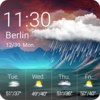
Customizable digital clock widget offering stylish fonts, colors, and layouts for a personalized home screen
Customizable digital clock widget offering stylish fonts, colors, and layouts for a personalized home screen
Vote (1 votes)
Program license Free
Developer ForestTree
Version 3.7.0
Works under Android
Also known as DIGI Clock Widget
Vote
(1 votes)
Developer
ForestTree
Works under
Android
Program license
Free
Version
3.7.0
Also known as
DIGI Clock Widget
Pros
- Outstanding customization options
- Multiple widget sizes, including for tablets
- Rich font selection and easy import tools
- Customizable backgrounds with gradients or user images
- Locale and date format flexibility
Cons
- Occasional time update issues
- Inaccurate weather/temperature readings
- Limited support and outdated documentation
- Widget centers display, offering less placement flexibility
Minimalist digital clock widget with advanced customization for Android.
Overview
DIGI Clock Widget delivers a customizable digital clock experience directly to the Android Home screen. With a variety of widget sizes ranging from compact (2x1) to expansive (6x3, for tablets), the app caters to both phone and tablet users seeking a tailored time and date display.
Design and Customization
A standout element of DIGI Clock Widget is the extensive customization it provides. Users can fine-tune everything from the widget’s color scheme and background opacity (including gradients or personal photos), to the font style and size for time and date. Over 40 fonts are built-in, and imports are supported for those wanting even more specific styles. Additional control over visual features like outlines, shadow effects, and alarm icons ensures the widget can be made to harmonize with nearly any home screen design.
Features and Functionality
Beyond visual adjustments, the widget offers practical customization such as 12/24 hour formatting, display with seconds (for certain sizes), a variety of date formats, and locale-specific output. The click-action feature lets users assign shortcuts when tapping the widget, whether that's quickly accessing an alarm app, the widget’s own settings, or another installed application.
Placement options are flexible, though some users may find the inability to move the time display closer to the screen edge limiting, as the widget centers itself within its allocated space.
Performance and Reliability
While DIGI Clock Widget aims for seamless operation, there have been notable concerns regarding its reliability. Some users have reported that the time does not always update correctly, a critical flaw for a clock widget. This can reduce trust in the widget's core function, especially if rapid refresh quality is essential. The developer attributes this problem in part to system-level changes by Android or aggressive task killers, recommending users exclude the widget from such processes to mitigate freezing.
There have also been complaints regarding the weather feature, specifically about inaccurate temperature readings and a lack of developer response. Furthermore, some resources referenced for support or information are reportedly outdated or unavailable.
Setup and Compatibility
Adding DIGI Clock Widget to the home screen follows standard widget placement procedures, though users may need to restart their device if the widget does not appear in the list. The app is designed to be friendly to recent Android versions and offers particular advantages for those using tablets due to larger size options.
Final Verdict
DIGI Clock Widget is a robust and visually versatile time and date widget ideal for users who value extensive personalization. However, periodic reliability issues and limited support response may impact user satisfaction, especially for those who depend on precise timekeeping directly from their home screen.
Pros
- Outstanding customization options
- Multiple widget sizes, including for tablets
- Rich font selection and easy import tools
- Customizable backgrounds with gradients or user images
- Locale and date format flexibility
Cons
- Occasional time update issues
- Inaccurate weather/temperature readings
- Limited support and outdated documentation
- Widget centers display, offering less placement flexibility